How to download Reddit videos on your phone or computer
Copy a public Reddit link, paste it into Redpork, choose an available quality, and save the file. You can use your phone or computer without installing an app.
Download in three steps
- Copy the post link. Open the public Reddit post and use its Share option to copy the link. On a computer, you can also copy the post’s URL from the address bar.
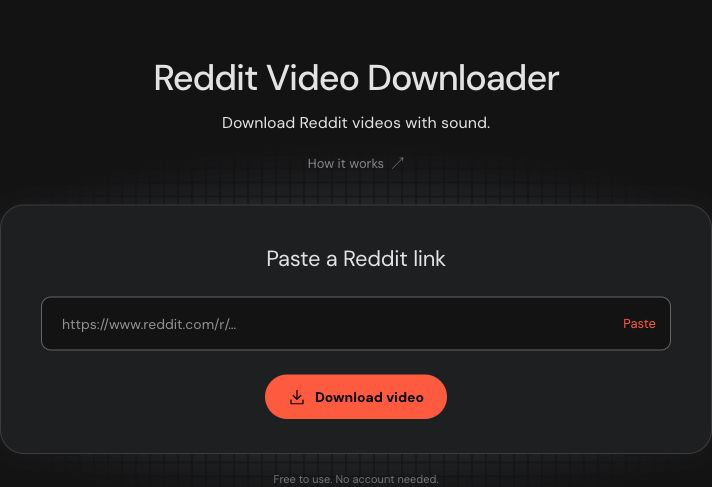
- Paste it into Redpork. Open the downloader, paste the link into the input and select Download video. If the Paste button cannot access your clipboard, touch and hold the input to paste on a phone, or use Ctrl+V on Windows or ⌘V on Mac. Redpork shows a loading animation while it retrieves the media details.
- Choose a quality and save. The result shows a preview and the available quality options. Select a quality, then tap the download button. Wait while the file is prepared. The browser starts the download when it is ready; if needed, use Save file again.
To use the sharing option on a supported phone, tap Prepare file. When the file is ready, tap Save / Share to choose where to save or send it. Preparing the file does not open the menu automatically. On iPhone, choose Save Video if available. Files over 50 MB use the regular download option.
The preview plays muted and may not include the separate audio track. Check the result’s sound label to see whether your download includes audio. See the sound guide for the difference.
On iPhone or iPad
Copy the link from Reddit, open Redpork in Safari and follow the three steps above. If Safari asks you to confirm a download, confirm it. You can check progress using Safari’s Downloads control.
Open the Files app and look in Downloads. Depending on your Safari settings, that folder may be in iCloud Drive or On My iPhone. Downloading a file does not automatically put it in Photos.
To add a compatible video to Photos, open the downloaded file, use the Share menu and choose Save Video if that option is available. Menu wording and available actions vary by device and file format.
File-location reference: Apple’s guide to finding downloads.
On Android
Copy the public post link in Reddit and open Redpork in Chrome. Paste the link, open the result, choose a quality and select Download video.
To find the file, open Chrome’s menu and choose Downloads. You can also use your phone’s file manager and check its Downloads folder. A downloaded video may not immediately appear in your gallery; open it from the file manager first.
Browser reference: Chrome’s Android download instructions.
On Windows or Mac
Open the Reddit post in your browser and copy its address. Paste that address into Redpork, select Download video, then choose a quality on the result page and download the file.
Use your browser’s download list to open the file or reveal its location. Most browsers save to Downloads unless you have chosen another folder or set the browser to ask where to save each file.
Find your downloaded file
The browser controls where the file is saved. Start with its download list: it shows whether the transfer completed, failed or was blocked. If it completed, choose Show in folder or Show in Finder, where available, or check your download folder.
If a transfer was interrupted, try Save file again while the result is still available. Temporary files expire, so an older link may require a new download request.
Download only content you have permission to save and use. Respect creators’ copyright and the privacy of people shown in the video.